Chart of accounts
Every expense you log, and every bank line you file as an expense or income, goes into an account. An income or expense account can sit on a CRA T776 line. The T776 tax report adds up each expense line from its accounts.
To open it, click Financials → Chart of Accounts in the sidebar. This opens the Chart of accounts tab in Settings.
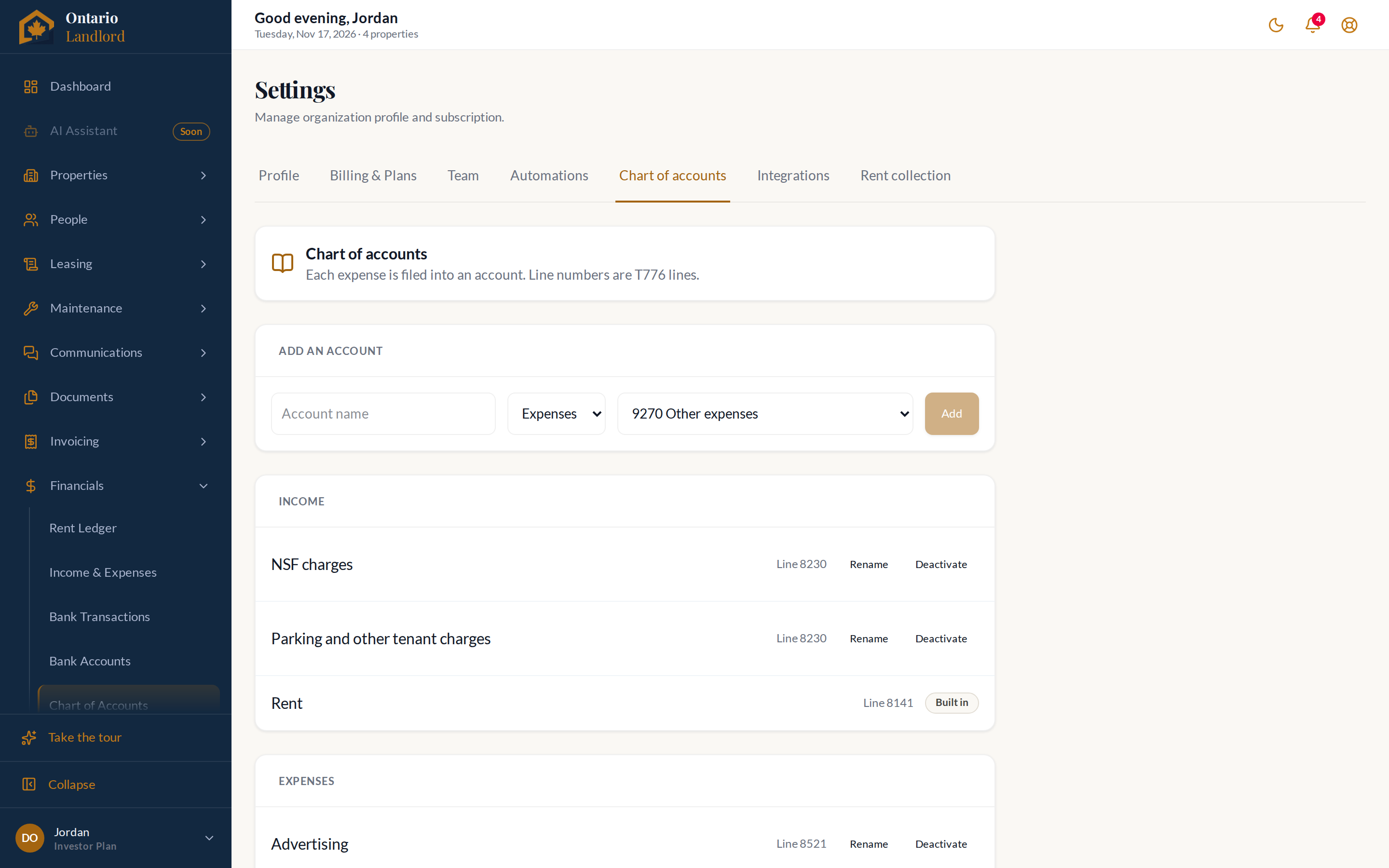
Only an admin can add, rename or deactivate accounts. Everyone else sees the list with "Only an admin can change these."
Default accounts
Since November 16, 2026, every organization has these 25 accounts.
| Account | Type | T776 line |
|---|---|---|
| Rent (built in) | Income | 8141 Gross rents |
| Parking and other tenant charges | Income | 8230 Other income |
| NSF charges | Income | 8230 Other income |
| Advertising | Expense | 8521 |
| Insurance | Expense | 8690 |
| Mortgage interest and bank charges | Expense | 8710 |
| Office expenses | Expense | 8810 |
| Legal and accounting | Expense | 8860 |
| Property management fees | Expense | 8871 |
| Repairs and maintenance | Expense | 8960 |
| Salaries and wages | Expense | 9060 |
| Property taxes | Expense | 9180 |
| Travel | Expense | 9200 |
| Utilities | Expense | 9220 |
| Condo fees | Expense | 9270 |
| Other expenses | Expense | 9270 |
| Motor vehicle | Expense | 9281 |
| Mortgage principal | Liability | Not on the T776 |
| Last month's rent deposit | Liability | Not on the T776 |
| Key deposit | Liability | Not on the T776 |
| Deposit interest owed | Liability | Not on the T776 |
| Capital purchases (CCA) | Asset | Not on the T776 |
| Transfers between my accounts (built in) | Asset | Not on the T776 |
| Rent payouts in transit (Stripe) (built in) | Asset | Not on the T776 |
| Owner contributions and draws | Equity | Not on the T776 |
Built-in accounts show Built in. You can't rename or deactivate them, and you can't pick them when you log an expense, file a bank line or make a bank rule.
Adding an account
- Under Add an account, type the Account name. It can be up to 80 characters.
- Pick the Type: Income, Expenses, Assets, Liabilities or Equity.
- For income and expenses, pick the T776 line, or Not on the T776. A new income account starts on 8230 Other income. A new expense account starts on 9270 Other expenses.
- Click Add.
Two accounts can't share a name. The app says "An account with that name already exists."
Asset, liability and equity accounts are never on the T776.
T776 lines you can pick
| Type | Lines |
|---|---|
| Income | 8141 Gross rents, 8230 Other income |
| Expenses | 8521 Advertising, 8690 Insurance, 8710 Interest and bank charges, 8810 Office expenses, 8860 Professional fees, 8871 Management and administration fees, 8960 Maintenance and repairs, 9060 Salaries, wages, and benefits, 9180 Property taxes, 9200 Travel, 9220 Utilities, 9270 Other expenses, 9281 Motor vehicle expenses |
Renaming and deactivating
- Click Rename, type the new name and click Save.
- Click Deactivate to hide an account from the expense form, Bank Transactions and bank rules. It shows Inactive. Click Activate to bring it back.
Accounts can't be deleted, and you can't change an account's type or T776 line after you add it. Expenses already in a deactivated account stay on its T776 line. A bank rule that files into a deactivated account stops filing.
How accounts reach the T776
- An expense goes on its account's T776 line.
- An expense in an account that is not on the T776, such as Mortgage principal, is left off the T776.
- Income accounts don't feed the T776. Its income is the payments recorded on your leases, so a bank line filed into an income account is not on it.
See T776 tax reports for what else the report leaves out.